The AI co-teacher

Lesson plans, quizzes, and slides — drafted in minutes, edited by you.

DotDotDot turns a topic or your own materials into classroom-ready documents you can actually edit, share, and reuse. Real files, not chat answers — fluent in 繁體中文 and the 108 課綱.

No credit card. Your first lesson in about a minute.

Today I need a lesson on 水的三態變化  
Lesson plan · 50 min · Grade 8

The Three States of Water

Teaching flow
  • 0–10 Warm-up: ice, water, steam demo
  • 10–30 Guided inquiry + key questions
  • 30–45 Group task & quick check
  • 45–50 Reflection + exit ticket
fully editable from your sources
Lesson plans Quizzes Slide decks Worksheets Exit tickets Key questions Rubrics Homework

Three ways to start your prep

Pick a template, bring a topic, and get a structured first draft you can shape — not a wall of chat text.

Lesson Plans

Teacher-ready plans, not generic outlines.

A timed teaching flow, key questions, assessment, and differentiation. Then keep shaping it: highlight any passage and ask AI to extend, shorten, or rewrite it — right in the editor.

  • Timed flow table
  • Highlight → ask AI
  • Misconception notes
Quizzes

Quizzes students can take in one tap.

Four question types. Share a link, collect submissions, and let AI grade each answer with feedback tailored to every student — not just a right or wrong.

  • Shareable student link
  • AI grading & feedback
  • KaTeX math
Slide Decks

A full slide editor, not locked blocks.

Move, restyle, and rewrite anything on any slide — a real PowerPoint-grade editor, not preset themes you can’t escape. Speaker notes come built in.

  • Edit every element
  • Speaker notes
  • Edit then export
See for yourself

Real documents. Actual screenshots.

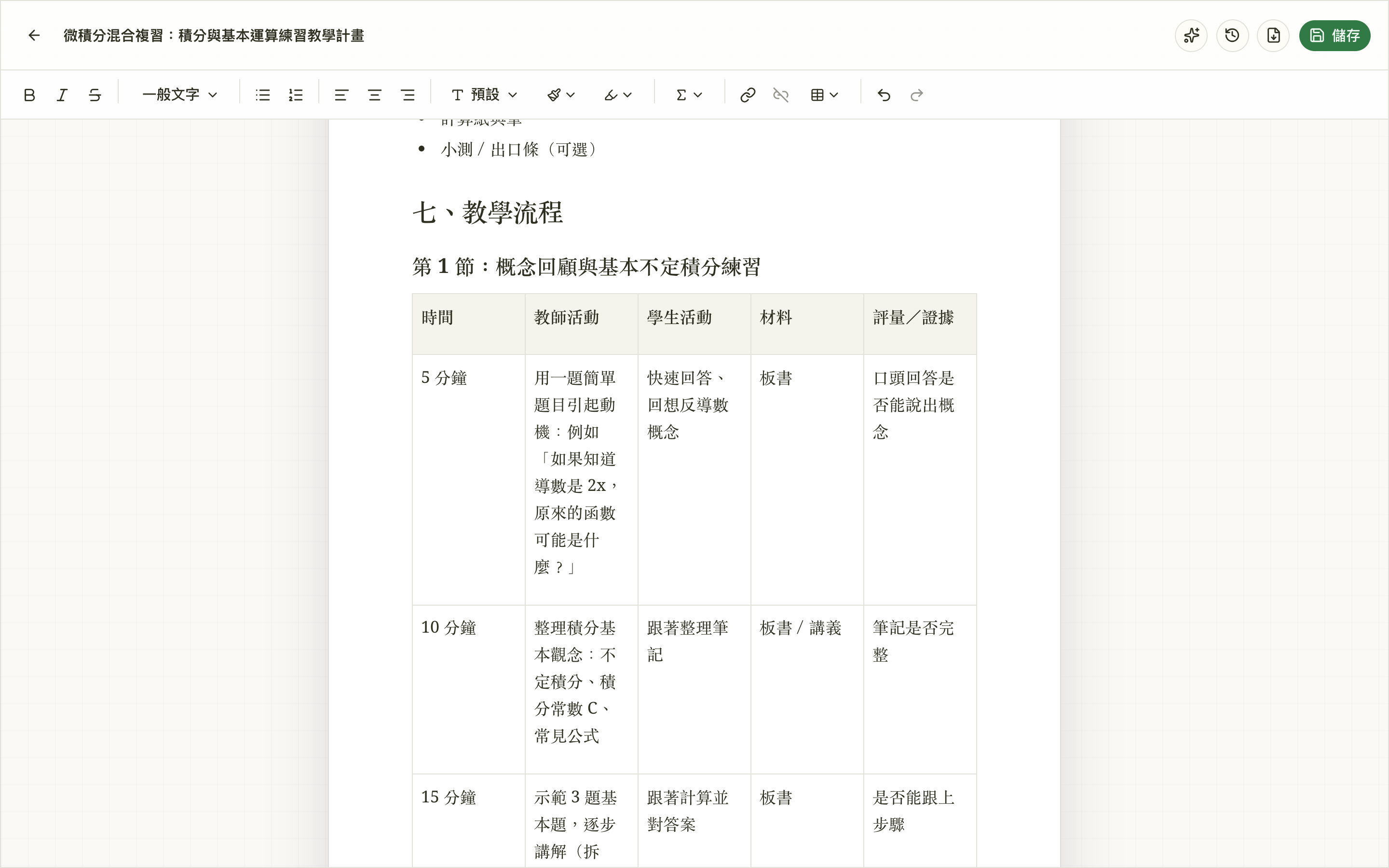
A calculus lesson plan drafted by DotDotDot, open in the editor — timed teaching flow and all. Edit it, export it, or share the quiz link with your class.

ddd.ce2.ai/documents/…
A drafted 教案 in the editor, ready to tweak
actual screenshot
↳ A drafted 教案 in the editor, ready to tweak
ddd.ce2.ai/q/quiz-0kv8ty7d Share to Google Classroom

From blank page to ready-to-teach

The whole loop takes about a minute. You stay in control at every step.

  1. Bring your topic or materials

    Type a unit, paste reference text, or upload PDFs, Word docs, and slide decks. DotDotDot reads them first.

  2. It drafts the real thing

    A few smart follow-up questions when they help, then a structured, source-grounded document — written, not summarized.

  3. Edit, share, reuse

    Polish it in the editor — or highlight a passage and let AI rework it. Export to Word, or send the link to students. It’s your file, not a chat message.

Built for a real classroom

Not a generic chatbot in a costume. The details teachers notice.

Fluent in 繁體中文

Natural Taiwan teaching language — 核心素養, 學習表現, 教學流程 — without inventing curriculum codes.

Grounded in your sources

It searches and reads your uploads and project documents before it writes, so drafts match your materials.

Real files, not chat

Rich-text editing, version history, Word export, and project folders. Every output is reusable.

Math that renders

KaTeX equations in lessons and quizzes, including fill-in-the-blank inside the math itself.

Spend less time formatting. More time teaching.

Your first lesson plan, quiz, or slide deck is a topic away.

Get started — it’s free